
Adding a text edit control into PDF form document
This example demonstrates how to add text edit box control into PDF form using ByteScout PDF SDK
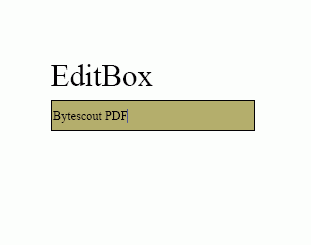
The example demonstrates how to text field using ByteScout PDF SDK.
Program.vb:
VB
'*******************************************************************
'       ByteScout PDF SDK
'
'       Copyright © 2016 Bytescout, https://bytescout.com
'       ALL RIGHTS RESERVED
'
'*******************************************************************

Imports Bytescout.PDF

''' <summary>
''' This example demonstrates how text fields and theirs variations.
''' </summary>
Class Program

    Shared Sub Main()

        ' Create new document
        Dim pdfDocument = New Document()
        pdfDocument.RegistrationName = "demo"
		pdfDocument.RegistrationKey = "demo"
        ' Add page
        Dim page = New Page(PaperFormat.A4)
        pdfDocument.Pages.Add(page)

        ' Add simple text field with default properties
        Dim edit1 = New EditBox(20, 20, 120, 25, "editBox1")
        edit1.Text = "One two three"
        page.Annotations.Add(edit1)

        ' Add password box
        Dim edit2 = New EditBox(20, 50, 120, 25, "editBox2")
        edit2.Text = "password"
        edit2.Password = True
        page.Annotations.Add(edit2)

        ' Add multiline text field
        Dim edit3 = New EditBox(20, 80, 120, 50, "editBox3")
        edit3.Multiline = True
        edit3.Text = "The quick brown fox jumps over, the lazy dog."
        page.Annotations.Add(edit3)

        ' Demonstrate various decoration properties
        Dim edit4 = New EditBox(20, 135, 120, 30, "editBox4")
        edit4.Text = "Decorated text field"
        edit4.TextAlign = TextAlign.Right
        edit4.BackgroundColor = New ColorRGB(255, 240, 240)
        edit4.BorderWidth = 2
        edit4.BorderStyle = BorderStyle.Dashed
        edit4.BorderColor = New ColorRGB(128, 0, 0)
        edit4.FontColor = New ColorRGB(128, 0, 0)
        edit4.Font.Size = 9
        page.Annotations.Add(edit4)

        ' Save document to file
        pdfDocument.Save("result.pdf")

        ' Cleanup
		pdfDocument.Dispose()

        ' Open document in default PDF viewer app
        Process.Start("result.pdf")

    End Sub

End Class
Program.cs:
C#
//*******************************************************************
//       ByteScout PDF SDK
//
//       Copyright © 2016 ByteScout - https://bytescout.com
//       ALL RIGHTS RESERVED
//
//*******************************************************************

using System.Diagnostics;
using Bytescout.PDF;

namespace TextFields
{
	/// <summary>
	/// This example demonstrates how text fields and theirs variations.
	/// </summary>
	class Program
	{
		static void Main()
		{
			// Create new document
			Document pdfDocument = new Document();
			pdfDocument.RegistrationName = "demo";
			pdfDocument.RegistrationKey = "demo";
			// Add page
			Page page = new Page(PaperFormat.A4);
			pdfDocument.Pages.Add(page);

			// Add simple text field with default properties
			EditBox edit1 = new EditBox(20, 20, 120, 25, "editBox1");
			edit1.Text = "One two three";
			page.Annotations.Add(edit1);

			// Add password box
			EditBox edit2 = new EditBox(20, 50, 120, 25, "editBox2");
			edit2.Text = "password";
			edit2.Password = true;
			page.Annotations.Add(edit2);

			// Add multiline text field
			EditBox edit3 = new EditBox(20, 80, 120, 50, "editBox3");
			edit3.Multiline = true;
			edit3.Text = "The quick brown fox jumps over, the lazy dog.";
			page.Annotations.Add(edit3);

			// Demonstrate various decoration properties
			EditBox edit4 = new EditBox(20, 135, 120, 30, "editBox4");
			edit4.Text = "Decorated text field";
			edit4.TextAlign = TextAlign.Right;
			edit4.BackgroundColor = new ColorRGB(255, 240, 240);
			edit4.BorderWidth = 2;
			edit4.BorderStyle = BorderStyle.Dashed;
			edit4.BorderColor = new ColorRGB(128, 0, 0);
			edit4.FontColor = new ColorRGB(128, 0, 0);
			edit4.Font.Size = 9;
			page.Annotations.Add(edit4);

			// Save document to file
			pdfDocument.Save("result.pdf");

			// Cleanup
			pdfDocument.Dispose();

			// Open document in default PDF viewer app
			Process.Start("result.pdf");
		}
	}
}