
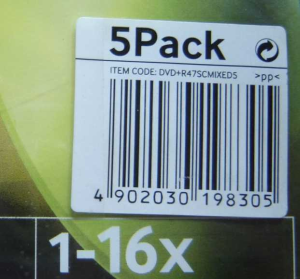
The following sample demonstrates how to read barcode from photo image (BarcodePhoto.jpg file) in VBScript using Bytescout BarCode Reader SDK for .NET
Sample input image for barcode recognition:
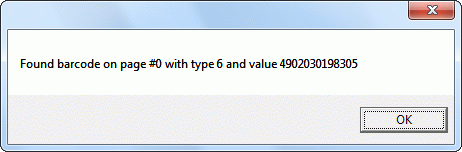
Running sample barcode decoding application:
' IMPORTANT NOTE: you need to have .NET Framework 1.10 installed to use BarCode SDK from Visual Basic

 ' to download and install .NET Framework 1.10 please use this link:
http://www.microsoft.com/downloads/details.aspx?familyid=262D25E3-F589-4842-8157-034D1E7CF3A3

Set bc = CreateObject("Bytescout.BarCodeReader.Reader")

bc.ReadFromFile "BarcodePhoto.jpg"


For i = 0 To bc.FoundCount - 1

     Msgbox "Found barcode on page #" & CStr(bc.GetFoundBarcodePage(i)) & " with type "
     & Cstr(bc.GetFoundBarcodeType(i)) & " and value " & bc.GetFoundBarcodeValue(i)

Next

Set bc = Nothing